
Understanding Your Cloud Storage Choices
In the fast-paced world of technology, cloud storage has emerged as a crucial solution for managing digital data. Individuals and businesses increasingly rely on these platforms not only for storing files but also for facilitating collaboration and enhancing accessibility. With the ability to access files from anywhere with an internet connection, users can easily share documents with family or work with colleagues in real-time. Among the myriad of options available, three platforms stand out prominently: Google Drive, Dropbox, and OneDrive.
Each of these services comes with distinct features tailored to various user needs. For instance, Google Drive seamlessly integrates with Google Workspace, making it an ideal choice for those who utilize applications like Google Docs, Sheets, and Slides. This integration fosters effective collaboration, enabling multiple users to edit documents simultaneously while tracking changes in real-time.
In contrast, Dropbox is celebrated for its intuitive user-friendly interface that appeals to users of all technological backgrounds. Its robust file-sharing capabilities make it easy to send large files without clogging up email inboxes, and features like file requests and shared folders enhance productivity during group projects.
Lastly, OneDrive is intrinsically linked with the Microsoft Office suite, making it a natural option for users entrenched in the Microsoft ecosystem. With added functionality such as personal vaults for sensitive files and offline access, OneDrive caters to those who depend heavily on Microsoft applications for their daily tasks.
Factors to Consider When Choosing a Cloud Storage Solution
As you evaluate these platforms, several key factors warrant thoughtful consideration:
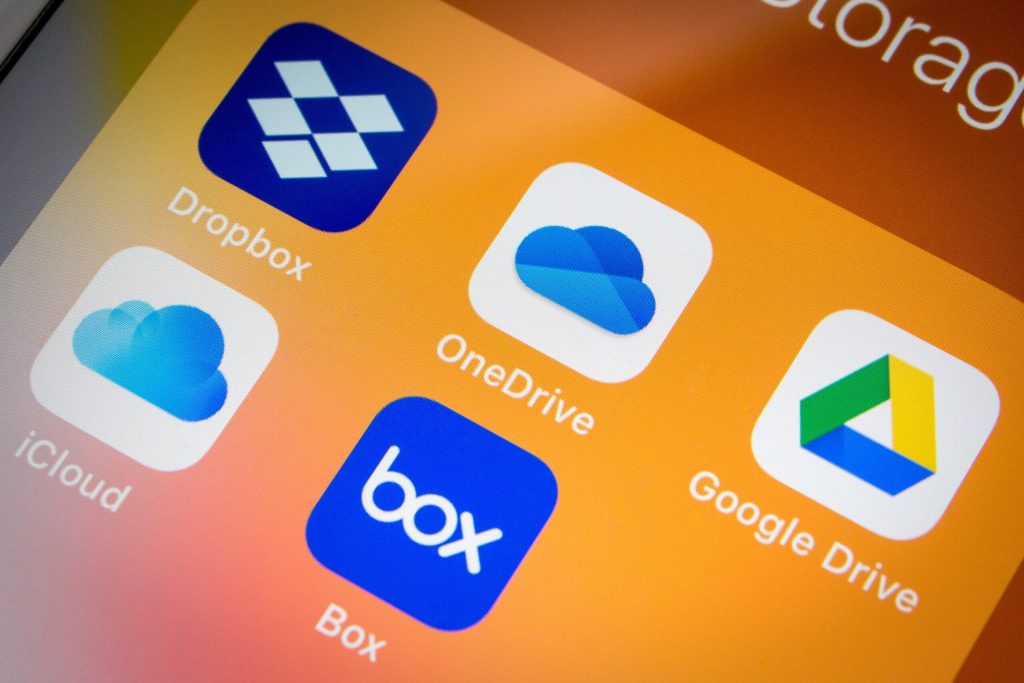
- Storage capacity and pricing: Each service offers different pricing structures and storage limits. Google Drive provides 15 GB for free but charges for larger needs, while Dropbox offers a basic 2 GB and a more competitive 2 TB plan with subscriptions. On the other hand, OneDrive also starts with 5 GB for free but becomes incredibly appealing with Microsoft 365 subscriptions which provide 1 TB or more.
- File sharing and collaboration features: The ease of sharing files and collaborating in real-time can vary considerably. Google Drive shines in this regard, while Dropbox excels in enabling effortless file sharing through links. OneDrive, with its seamless integration into Microsoft tools, offers unique collaboration features but may require familiarity with the Microsoft ecosystem.
- Security measures and data privacy: As cyber threats increase, understanding a platform’s security features is paramount. All three platforms employ encryption, but the processes differ. Google Drive encrypts files both in transit and at rest, while Dropbox offers two-factor authentication and advanced security features for business users. OneDrive provides personal vaults and encryption, and its compliance with various industry standards offers additional peace of mind.
By taking the time to compare these services, you can make an informed decision that complements your unique needs. Whether you are a casual user wishing to share vacation photos with family or a professional collaborating on important projects, understanding the strengths and drawbacks of each service can make your cloud storage experience smooth and efficient. As these platforms continue to evolve, keeping an eye on new features and innovations will ensure that you remain at the forefront of cloud technology.
DISCOVER MORE: Click here to explore additional insights
Analyzing the Core Features of Google Drive, Dropbox, and OneDrive
When diving deeper into the realm of cloud storage, it’s essential to dissect the unique features that each platform offers. The differences can significantly influence how users interact with their files, whether for personal use or professional collaboration. Thus, understanding these core elements will help you choose the most suitable option for your needs.
Storage Capacity and Pricing Structures
All three platforms provide various storage options, with differing free and paid tiers. Google Drive leads with an attractive offering of 15 GB of free storage, which is shared across Gmail, Google Photos, and Drive itself. This structure appeals to users who want substantial free space before considering upgrades. Beyond that threshold, users can opt for the Google One subscription service, which ranges from 100 GB to 2 TB and adds additional features such as expert support and enhanced sharing options.
Dropbox, on the other hand, starts with only 2 GB of free space, a limitation that may deter casual users. However, they also provide various subscription plans, including a 2 TB option for about $12.50 per month, making it a competitive choice for those needing more robust storage. It’s worth noting that Dropbox doesn’t just stop at storage; collaborations can benefit from file recovery and version history features, making it a viable asset for team projects.
With OneDrive, the pricing mirrors its Microsoft ecosystem integration. Users receive 5 GB of free storage and can unlock up to 1 TB or more by subscribing to Microsoft 365, which also includes access to premium applications like Word, Excel, and PowerPoint. This amalgamation of services places OneDrive as an attractive option for individuals and businesses heavily invested in Microsoft products.
Collaboration and File Sharing Features
Collaboration capabilities can make or break the effectiveness of a cloud storage platform. Here, Google Drive shines brightly. The ability to share files and folders with specific permissions—such as view-only or edit capabilities—allows for smooth teamwork among users. Real-time collaboration within Google Docs, Sheets, and Slides is further enhanced by comment threads and revision tracking, making it a powerhouse for collective work.
Dropbox also prioritizes collaboration but in a slightly different manner. Its user-friendly interface enables users to create shared folders and send file requests easily. The added capability of file versioning allows users to restore previous iterations of documents, ensuring that critical information isn’t lost in the process of collaboration.
OneDrive benefits from its seamless integration with Microsoft Office applications. Users can share documents straight from Word or Excel, and collaboration is encouraged with features that keep track of edits and comments. The process feels cohesive for those familiar with Microsoft’s offerings, although it might present a learning curve for users less accustomed to the Microsoft environment.
In summary, while each platform offers a unique set of features, the decision ultimately rests on the specific requirements and ecosystem preferences of the user. Understanding these nuances is crucial for maximizing productivity and ensuring a smooth workflow, whether for personal projects or collaborative endeavors. As technology continues to advance, being informed about these options will keep you ahead in an increasingly digital landscape.
Comparison of Key Features
When selecting a cloud storage platform, understanding the unique strengths of each service can significantly influence your decision. Below, we delve deeper into the features that define Google Drive, Dropbox, and OneDrive, highlighting aspects that may cater to particular user needs:
| Cloud Storage Platform | Key Features |
|---|---|
| Google Drive | Integrates seamlessly with other Google Services, providing robust document collaboration with real-time editing. |
| Dropbox | Known for its user-friendly interface and file-sharing capabilities, making it ideal for team collaboration. |
| OneDrive | Integrated with Microsoft Office, allowing direct edits to documents and a familiar environment for Windows users. |
Understanding these features can help potential users assess which platform enhances their productivity strategy. Each option caters to different professional environments and personal preferences, making exploration crucial.
DISCOVER MORE: Click here to dive deeper
User Experience and Interface Design
The user experience (UX) of a cloud storage platform can significantly influence user satisfaction and efficiency. Google Drive boasts a clean and intuitive interface that is easy for both novice and experienced users to navigate. With its icon-based design and robust search functionality, finding files is streamlined, allowing users to spend less time managing their storage and more time working on their projects. Google Drive also integrates well with other Google services, such as Calendar and Gmail, which enhances the overall workflow for individuals who regularly utilize these tools.
Dropbox takes a slightly different approach by focusing on simplicity and speed. Its streamlined dashboard allows users to quickly access frequently used files and folders. The mobile app is particularly noteworthy, providing a seamless experience for users who need to manage their files on-the-go. Additionally, Dropbox employs a unique feature called “Smart Sync,” which enables users to keep files in the cloud while only downloading them onto local devices when necessary. This can be particularly beneficial for users with limited storage space on their devices.
In comparison, OneDrive offers a familiar interface for those already integrated into the Microsoft ecosystem. Its design mimics Microsoft Office applications, making it user-friendly for individuals accustomed to Word, Excel, and PowerPoint. OneDrive also incorporates a feature known as “Files On-Demand,” which allows users to view all their files in File Explorer without taking up disk space on their devices. This is an essential feature for Windows users, as it keeps file management efficient and accessible.
Security and Privacy Measures
As data protection becomes increasingly critical, evaluating the security measures of these cloud storage platforms is essential. Google Drive employs robust encryption protocols for files both in transit and at rest, ensuring that user data is shielded from unauthorized access. Additionally, Google provides two-factor authentication (2FA), enhancing account security further. However, some concerns have been raised regarding Google’s data collection practices, necessitating vigilant attention from users regarding their privacy settings.
Dropbox places a significant emphasis on security, offering file encryption and the option for users to utilize two-step verification. Its “Dropbox Business” plans come with additional security features tailored for team management, such as advanced permissions and remote device wipe capabilities. This makes Dropbox a compelling choice for businesses that need to ensure sensitive information remains protected while allowing for collaborative work environments.
Turning to OneDrive, the platform also integrates high-level security features like end-to-end encryption, ensuring that user data remains secure. As part of Microsoft 365, OneDrive benefits from Microsoft’s security protocols, which include advanced threat protection and strict compliance with industry regulations. Users can also utilize personal vaults with additional security measures, providing an extra layer of protection for sensitive files.
Integration with Third-Party Applications
The ability to integrate with third-party applications can drastically improve usability and functionality. Google Drive, with its open API, supports a broad range of third-party apps that extend its core features, such as project management tools and automation services. This flexibility allows users to tailor their workflow and enhance productivity seamlessly.
Dropbox similarly provides open integration options, allowing it to connect with various apps like Slack, Zoom, and Trello. This compatibility ensures that Dropbox users can incorporate cloud storage into their regular workflows without disruptions, fostering a more cohesive working environment.
Meanwhile, OneDrive shines in its native integration with Microsoft Office applications, creating a seamless link between storage and productivity software. The quick access to files stored in OneDrive from within Word and Excel is a notable advantage for users heavily reliant on these tools. Additionally, OneDrive supports various other apps and workflows, though its primary strength lies in its congruence within the Microsoft ecosystem.
Ultimately, the choice between Google Drive, Dropbox, and OneDrive hinges on user preferences for user experience, security, and integration capabilities. Each platform offers unique features that cater to different types of users, whether they are individuals, teams, or organizations, making the decision a nuanced one based on specific requirements.
DON’T MISS: Click here for more insights
Conclusion
In summary, the comparison of the main cloud storage platforms—Google Drive, Dropbox, and OneDrive—illuminates how each service caters to diverse needs and user preferences. Google Drive shines with its seamless integration within the broader Google ecosystem, making it an excellent choice for users who heavily rely on tools like Gmail and Google Docs. Its intuitive interface and powerful search capabilities further enhance its appeal for individual users seeking efficiency.
Conversely, Dropbox stands out for its simplicity and fast performance, particularly appealing to users who prioritize quick access and collaboration. Its unique Smart Sync feature and robust mobile experience make it highly effective for professionals on-the-go or those managing limited local storage. Furthermore, its strong emphasis on security and team-focused features cements its status as a reliable option for businesses.
On the other hand, OneDrive thrives within the Microsoft ecosystem, ideal for users who frequently employ Microsoft Office applications. With its cohesive design and features like Files On-Demand, OneDrive provides users with an effective file management experience, especially for those entrenched in Windows environments.
Ultimately, while each platform offers compelling features and functionalities, the decision over which cloud storage solution to adopt will heavily depend on individual or organizational needs surrounding user experience, integration capabilities, and security requirements. Exploring these options and understanding their distinct characteristics is paramount to choosing the solution that best aligns with personal or business objectives. To further enhance your file management experience, consider delving deeper into each platform’s offerings, webinars, and user guides to fully capitalize on the benefits they provide.
Related posts:
Maximize Your Cloud Storage Space with the Best Fitness and Health Apps
The best photo editing apps that integrate with Cloud Storage
Security Tips to Protect Your Data in the Cloud
How Cloud Storage Can Help in Organizing Edited Photos and Language Learning
Leverage Cloud Storage to Enhance Your Daily Productivity Apps and Language Learning
Security Tips to Protect Your Data in Cloud Storage Services

Beatriz Johnson is a seasoned digital lifestyle strategist and green tech writer with a passion for demystifying sustainable technology and eco-conscious living. With over a decade of experience at the intersection of innovation and sustainability, she specializes in topics like smart home solutions, renewable tech applications, and global trends in green digitalization. Through her work on our platform, Beatriz empowers readers to make informed choices about adopting planet-friendly technologies while optimizing their digital lives for both efficiency and environmental impact.