
Unlock Your Device’s Potential
In the fast-paced world we live in, time is of the essence. Navigating through apps can be tedious, but with the right app shortcuts, you can enhance your efficiency on both Android and iOS platforms. By understanding and embracing these shortcuts, you can save precious time and improve your overall experience with your device.
Whether you’re a busy professional juggling multiple tasks or a casual user looking to streamline your digital life, mastering shortcuts offers numerous advantages:
- Speed: Quickly access your favorite apps and features. For instance, instead of digging through menus to find your frequently used messaging app, a simple tap on the home screen shortcut can get you there immediately.
- Customization: Tailor your shortcuts to best fit your routine. Customize your home screen to showcase the apps you use most often, allowing for a personalized experience that aligns with your daily needs.
- Productivity: Streamline tasks and free up time for what really matters. Utilizing shortcuts for reminders, calendar events, and note-taking can significantly reduce the time spent on planning and organizing your day.
Diving into these shortcuts can be a game-changer. From built-in features to lesser-known hacks, both Android and iOS users have a treasure trove of options at their fingertips. Many smartphones include customizable shortcuts that can be particularly beneficial for everyday tasks.
Curious about what’s available? Explore these app shortcuts to maximize your device’s capabilities:
- Gestures: Instead of traditional navigation, you can use gestures such as swiping, tapping, or shaking your device to perform actions instantly. For example, double-tapping the back of your iPhone can take a screenshot or open specific features based on your preferences.
- Widgets: Keep important information accessible right on your home screen. Widgets allow you to display essential data such as weather updates, calendar events, or news headlines without having to open multiple applications. This feature can keep you informed at a glance.
- Voice Commands: Use simple voice prompts to control your apps hands-free. Both Siri and Google Assistant enable you to send messages, set reminders, or play music simply by asking, thereby allowing you to multitask more effectively.
Let’s delve deeper into the world of app shortcuts and discover how to make the most of your mobile experience. By integrating these various shortcuts into your daily routine, you can transform how you interact with your device, making it not just a tool but an engaging extension of your lifestyle. Get ready to unlock features that you may not have even known existed and revolutionize your digital life!
DON’T MISS OUT: Click here to discover more
Essential App Shortcuts You Can’t Miss
As we embrace the digital age, the ability to swiftly navigate and utilize our mobile devices becomes increasingly important. Both Android and iOS offer a variety of shortcuts designed to optimize user experience, making it essential to familiarize yourself with these effective tools. Let’s explore some of the most valuable app shortcuts that can simplify your daily interactions, making them more enjoyable and efficient.
Android Users: Get the Most Out of Your Device
Android devices are packed with features that can be leveraged through well-designed shortcuts. Here are some standout options:
- Quick Settings Menu: Swipe down from the top of your screen to access the Quick Settings Menu instantly. From here, you can adjust settings like Wi-Fi, Bluetooth, and Do Not Disturb mode without diving deep into your device’s settings.
- App Shortcuts: Many Android applications come with built-in shortcuts, allowing you to perform specific tasks directly from your home screen. For example, long-pressing on your Google Maps app icon can provide shortcuts to directions home or to work, saving you time.
- Split-Screen Mode: Enhance your productivity by using split-screen mode, which lets you run two apps simultaneously. This can be particularly beneficial for multitasking—such as referencing a document while emailing someone.
iOS Users: Streamline Your Workflow
iOS devices also come equipped with a range of features that can be easily accessed through shortcuts, improving both usability and functionality. Consider these options:
- Control Center: Swiping down from the upper right corner (or up from the bottom on older iPhones) brings up the Control Center, where you can quickly toggle essential features like Airplane Mode, brightness, and volume.
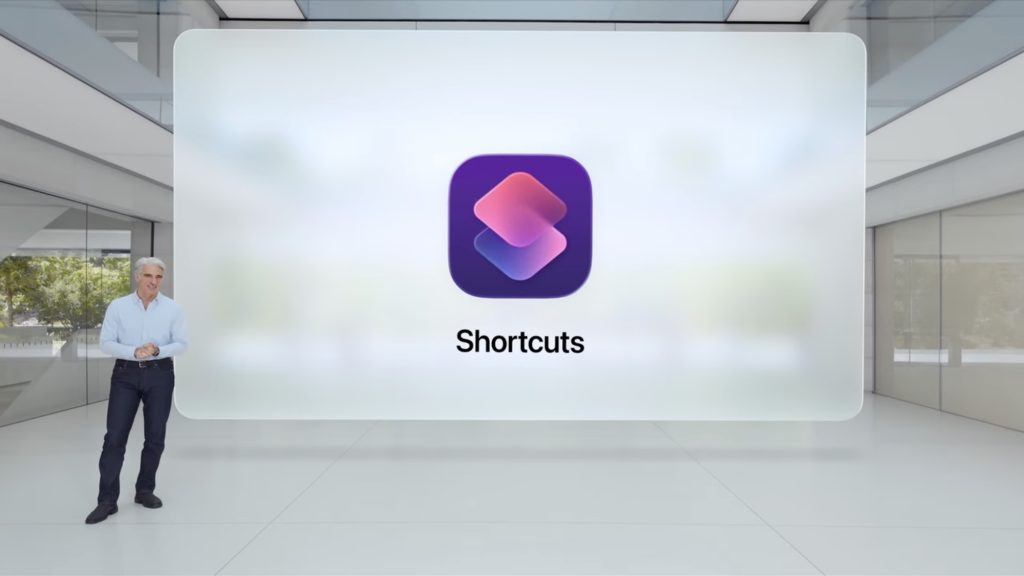
- Shortcuts App: The Shortcuts app allows iOS users to create personalized automations. By combining multiple actions from different apps, you can create complex tasks with a single tap—a massive timesaver for those who frequently juggle various applications.
- Back Tap: A unique feature in iOS that enables you to perform various actions by tapping the back of your iPhone. This can be incredibly useful for taking screenshots or opening specific apps without the need for on-screen buttons.
These shortcuts significantly elevate the usability of your device, creating a more harmonious interaction with technology. By incorporating a few of these features into your routine, you’ll find that navigating your device becomes a swift and seamless experience. As you explore these app shortcuts, you may even uncover additional functionalities that align perfectly with your lifestyle and workflow. Dive deeper, experiment with these options, and let your mobile efficiency thrive!
| Advantage | Details |
|---|---|
| Enhanced Productivity | With app shortcuts, users can access crucial features instantly, reducing time spent searching for apps. |
| Customizable Shortcuts | Both Android and iOS allow customization of shortcuts, enabling users to tailor their experience to specific needs. |
| Quick Access | Shortcuts provide rapid access to core functions, streamlining daily tasks like messaging, emailing, and music playback. |
| Increased User Engagement | Utilizing shortcuts effectively increases user interaction within apps, improving retention and satisfaction. |
As users of Android and iOS explore the features available through app shortcuts, they’ll find a significant enhancement in their daily routines. Not only do these shortcuts contribute to increased productivity, but they also serve to make technology feel more personalized and user-friendly. From instant messaging to navigating between favorite apps, shortcuts are perfect tools for those looking to optimize their mobile experience. The ability to create custom shortcuts allows users to manage their interactions based on personal preferences, leading to a more satisfying and efficient digital lifestyle.
DISCOVER MORE: Click here to dive deeper
Advanced Shortcuts for Power Users
For those who wish to delve even deeper into the functionality of their mobile devices, both Android and iOS offer advanced shortcuts that can significantly enhance your interaction with apps. These features may not be widely known, but they can ultimately lead to greater efficiency and customization tailored to your specific needs.
Android Power Features
Beyond the standard shortcuts, Android provides numerous advanced options that can transform how you interact with your apps:
- Google Assistant Routines: Utilize Google Assistant to set up routines that automate multiple tasks with just a single voice command. For example, saying “Good morning” can trigger your smart home devices and open your calendar, seamlessly aligning your day from the start.
- Gesture Navigation: Take advantage of gesture navigation to quickly switch between apps, go back, or access the home screen. This can speed up your navigation and make your user experience more immersive, bypassing traditional buttons entirely.
- Notification Channels: Customize your notification settings for different apps to avoid notification overload. By adjusting the importance of notifications, you can prioritize what matters most to you, ensuring you never miss critical alerts while minimizing distractions.
iOS Innovations to Explore
iOS also presents a set of advanced features for users who want to maximize their device’s potential:
- Focus Modes: iOS’s Focus modes allow users to filter notifications based on their current activity or context—such as work, personal time, or sleep. You can create customized modes that mute distractions while keeping essential notifications at your fingertips, which is ideal for maintaining productivity.
- Widgets and Smart Stacks: Use widgets on your home screen to gain instant access to vital information from apps like Calendar, Weather, and Reminders. Smart Stacks allow you to cycle through multiple widgets and display the one that’s most relevant at any given time, keeping your home screen organized and functional.
- App Library: The App Library, introduced in iOS 14, allows for an organized view of all your applications, sorted automatically into categories. This reduces home screen clutter and makes locating any app a breeze, improving overall app navigation.
By utilizing these advanced shortcuts, Android and iOS users can tailor their mobile experiences to fit their unique lifestyles. The seamless interaction with apps allows users to save precious time and streamline their tasks, whether you’re a busy professional, a student, or someone juggling multiple responsibilities. Experimenting with these features will not only enhance functionality but also ensure that your mobile device serves you efficiently in your day-to-day life.
As you continue to explore and adapt these shortcuts, embrace the evolution of your device to create a network of tools that work harmoniously for your personal and professional targets. The more you utilize these features, the more integrated and seamless your digital experience will become.
DISCOVER MORE: Click here to dive deeper
Conclusion: Elevate Your Mobile Experience
In a world where efficiency defines success, mastering app shortcuts on both Android and iOS platforms can be transformative. By leveraging standard and advanced features alike, users can inherently customize their mobile interactions, optimizing time management and enhancing productivity. Whether utilizing voice commands through Google Assistant routines on Android or filtering notifications via iOS’s Focus modes, the potential for streamlining your daily tasks is immense.
The incorporation of gesture navigation and unique widgets not only makes your device more user-friendly, but also fosters a personalized experience that caters to your specific preferences. The App Library on iOS, for instance, can declutter your home screen, allowing for effortless app access. Meanwhile, Android users can set notification channels to prioritize only the alerts that truly matter, minimizing distractions in an increasingly connected world.
As you venture into these features, consider your unique lifestyle and professional needs—your mobile device should serve as a powerful ally in your everyday endeavors. The journey toward discovery and mastery of these shortcuts is ongoing, offering countless opportunities for improvement. Dive deeper into these functionalities, experiment, and adapt them to carve out the most conducive digital experience.
Ultimately, navigating this digital landscape equipped with the best app shortcuts will not only save you time but also help you achieve your goals with greater ease, ensuring that your smartphone truly works for you. So make it a point to explore, learn, and elevate your mobile experience today!
Related posts:
Master Daily Productivity: Integrating App Shortcuts with Language Learning Apps
Editing Made Easy: Leveraging App Shortcuts for the Best Photo Editing Apps
Streamline Your Fitness Routine: Using App Shortcuts with the Best Fitness Apps
Boost Your Learning: Utilizing App Shortcuts for Language Learning and Daily Productivity

Beatriz Johnson is a seasoned digital lifestyle strategist and green tech writer with a passion for demystifying sustainable technology and eco-conscious living. With over a decade of experience at the intersection of innovation and sustainability, she specializes in topics like smart home solutions, renewable tech applications, and global trends in green digitalization. Through her work on our platform, Beatriz empowers readers to make informed choices about adopting planet-friendly technologies while optimizing their digital lives for both efficiency and environmental impact.